


Account
Login and profile page
Check your phone confirmation, password status and profile details here. This is also where we may request matching identity details before a withdrawal is released.
Live Dealer Lobby, Jungle Delight, Rocket Crash and Bingo sit in one account, with DANA, OVO, GoPay and QRIS shown before you fund your…
Access is available only where local law permits.
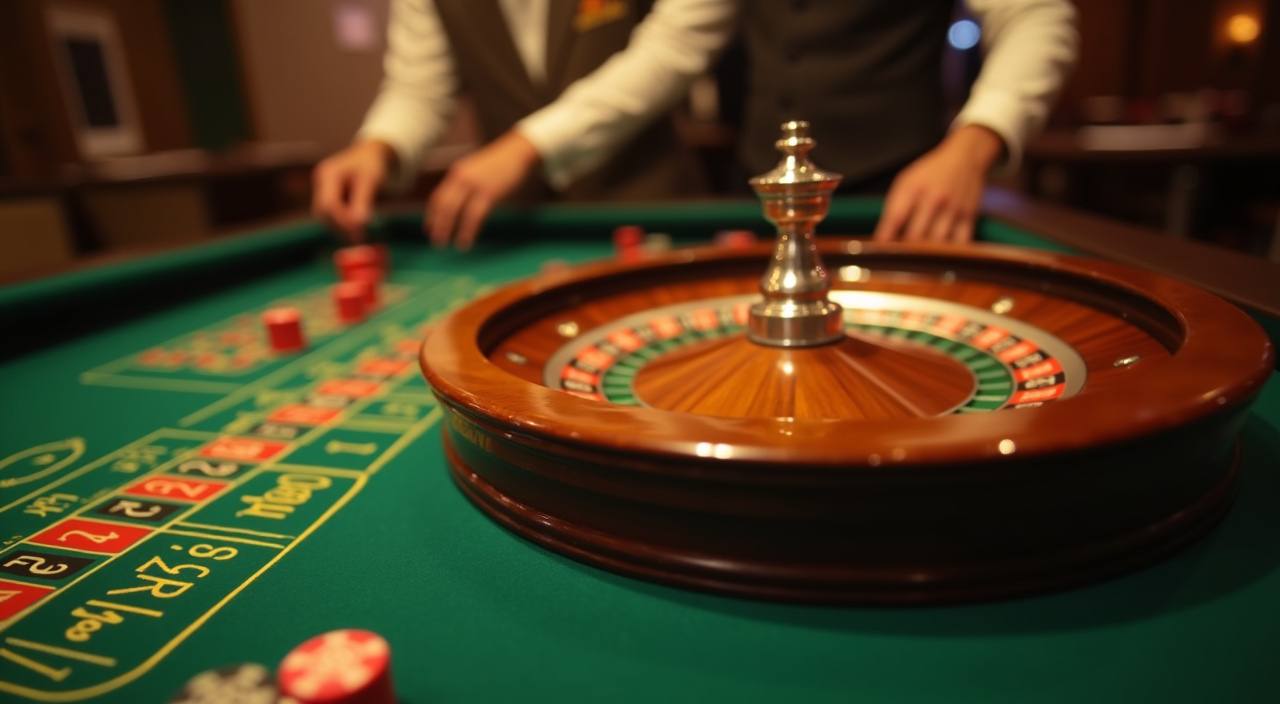

Open the lobby to see slots, live casino tables, sportsbook cards, fishing rooms and account tools arranged for quick switching.
Pragmatic Play, PG Soft and Habanero appear beside other studios, with categories arranged for Indonesian mobile screens.
Local wallet choices are visible before you send funds, so you can decide whether DANA, OVO, GoPay or QRIS fits the device you are using.
The home page should point you to the pages that matter before you add funds.
Check your phone confirmation, password status and profile details here. This is also where we may request matching identity details before a withdrawal is released.

Use this page to move between slots, Live Dealer Lobby and table games. We keep categories visible so you can return to favourites without reopening the home page.

The wallet page shows DANA, OVO, GoPay and QRIS options with the account name check. We display status messages after each request.

Open this page when you need live chat, email or mobile help. Include your account name and transaction time so our team can check faster.
Your first minute should answer the basics: how to open the account, what appears in the lobby, and where security checks happen.
Use the account form, add your mobile number, set a password and confirm the code we send. After that, we show the lobby and wallet menu together.
Your profile page holds login details, wallet status and verification prompts. Keep your name aligned with your payment account so withdrawals can be checked without extra messages.
The lobby separates Live Dealer Lobby, Jungle Delight, Rocket Crash, Bingo, Mega Fishing and sportsbook cards, so you can choose a category without searching through unrelated pages.
We use password checks, device signals and wallet verification before payout requests. If something looks unusual, support may ask you to confirm account ownership.
Your phone can reach the same account path as desktop through the browser, with no separate app required for normal lobby access.
Safety starts with access control, not slogans. We ask for a password, confirm your mobile number and monitor device changes that may affect wallet actions.
Menus, wallet status and game categories fit portrait screens first. On desktop, the same sections expand rather than moving to hidden pages.
Your account uses password access and mobile confirmation. If a device change looks unusual, we may ask extra questions before wallet actions continue.
Withdrawal checks compare your account name with the payment rail you use. Matching details help us review requests without repeated document requests.
Games run through provider systems with their own round displays and rules. We show provider names so you can identify where each title comes from.
A single home page helps you avoid chasing game links, payment numbers and support contacts across separate chats.
| One wallet view | Instead of saving payment details from separate messages, you use the cashier page where DANA, OVO, GoPay and QRIS are labelled clearly. |
|---|---|
| Same lobby path | Slots, live tables, fishing rooms and sportsbook cards stay under one account menu. You do not need a different link for each category. |
| Visible support | Chat and email routes are shown on site, so you can send issue details through a channel we can track and answer. |
| Device continuity | Start on mobile, then return on desktop with the same login. The layout changes size, but the core account actions stay in place. |
| Clear event terms | Promotional events sit near their terms, timing and account conditions. Check those details before joining anything shown on the home page. |
| Reduced confusion | When account checks, wallet status and lobby links share one structure, you spend less time asking where to go next. |
Different rooms behave differently, so we separate category details before you open a title. Slots may show feature mechanics, live casino tables depend on streamed rounds, and crash games move quickly on…
Slot rooms such as Jungle Delight show reels, feature symbols and provider details. Check the game panel before starting because settings vary by studio.
Live Dealer Lobby uses streamed tables such as Baccarat, Roulette and Dragon Tiger. Stable mobile data helps the table video and bet timer stay aligned.
Rocket Crash and Aviator-style rooms move round by round with fast decisions. Use the on-screen history as context, not as a promise about future rounds.
Mega Fishing uses arcade-style targets and session controls. It works better on a wider screen, though mobile landscape mode can help.
Sportsbook cards show markets, odds movement and settlement status. We keep them separate from casino rooms so you can track open entries clearly.
We built the home page for Indonesia, with account text, wallet choices and lobby categories arranged for local browsing habits. You can reach the same entry points from Surabaya, Bandung or other supported regions when local law permits access. The map reference is about service routing, not a physical branch. If your connection or region blocks a page, contact support before creating another account, because duplicate profiles can complicate verification.
The home page should prove its use through visible elements, not broad claims. We show the account entry, local wallets, game categories, provider names, help paths and policy…
These answers cover the home page actions we are asked about most often: account opening, wallet choices, mobile access, game categories, support and regional access. They are written for practical use, so you can decide whether to join, what to check first and how to get help if something does not load as expected.
Start at the header if you already have an account, or use the opening form if you are new.
Use the header for login, account opening and quick lobby access. It remains visible on common mobile and desktop screen sizes.
Enter the lobby after your account loads, then choose casino, slots, fishing, crash or sportsbook areas from the category menu.
Open the wallet before adding funds to confirm DANA, OVO, GoPay or QRIS status and check whether your profile needs attention.
Go to support when a payment status, login attempt or game page does not update. Include screenshots and exact times.